Look What We've Built: RoleForge UI Progress
The last few weeks have been one of the most productive stretches we've had on RoleForge — and for the first time, we want to show you what that actually looks like.
Not a feature list buried in a changelog. Screenshots. Real screens from the alpha build, taken while we were playing the game ourselves. Pick a hero in under a minute. Or walk through the full creation wizard if you want to craft every detail. Level up on a living character sheet. Fight across tactical maps with fog of war. Travel a hex overworld between adventure sites.
This is the game taking shape — and we're genuinely fired up about how far it's come.
Pick a Hero and Start Playing
You shouldn't need an hour of character building before your first adventure begins.
The Choose Your Hero screen lays out pre-built Auto-Forged hero cards — each one a complete character with a portrait, class, and backstory ready to go. Flip a card to read the bio and see the stats. When one catches your eye, hit Begin Adventure. That's it.
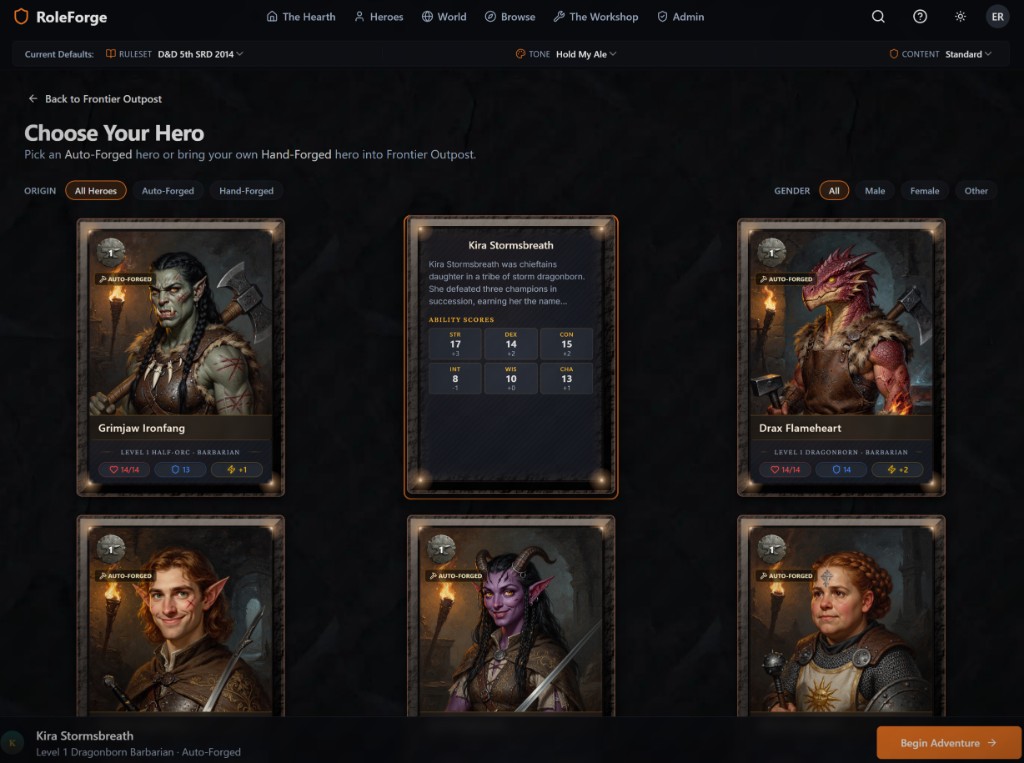
For players who want to jump in fast, this is the path: pick a character card, start the story. For builders who want to roll their own from scratch, Hand-Forged creation is still there — more on that below.
Build Your Own Hero — The Full Creation Path
Quick start isn't the only path. If you want to craft every detail, the eight-step creation wizard walks you through it — backstory, stats, gear, and portrait.
Portrait Forge is the step that tends to stop people mid-flow: pick an art style, choose a pose, generate, and iterate until the face matches the hero in your head. Kaelen Thornbrook at the Portrait Forge step shows how it works — style presets on the left, your hero taking shape on the right.
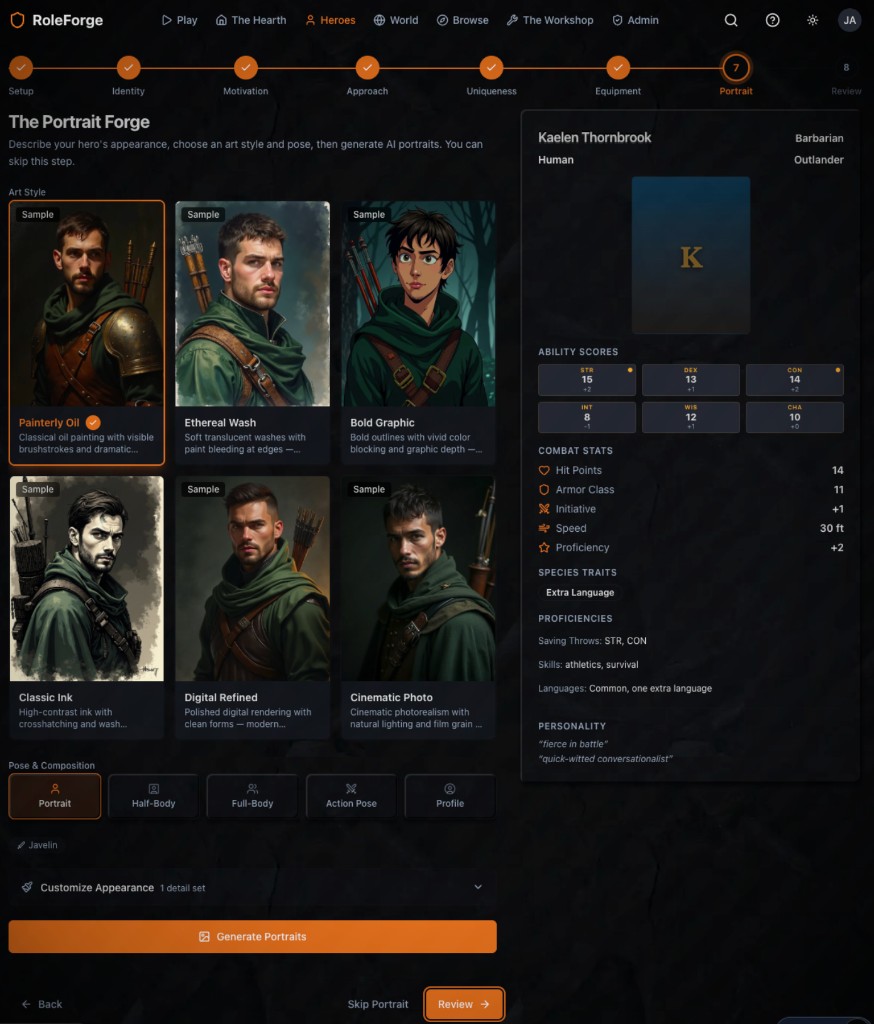
Auto-Forged heroes get you playing fast. Hand-Forged creation gives you the full tabletop character-building experience when that's what you're after. Both paths land in the same game — same maps, same AI Game Master, same world that remembers.
Character Sheets That Actually Level Up
A character sheet in RoleForge isn't a static PDF. It's alive during play — stats, skills, gear, and progression all in one place, one keystroke away from the map.
Meet Drax Flameheart. His sheet shows the full picture: abilities, equipment, features, and an XP bar tracking progress toward the next level. When Drax earns enough experience, a Level Up call-to-action appears right on the sheet — the same moment you'd get it at a physical table.
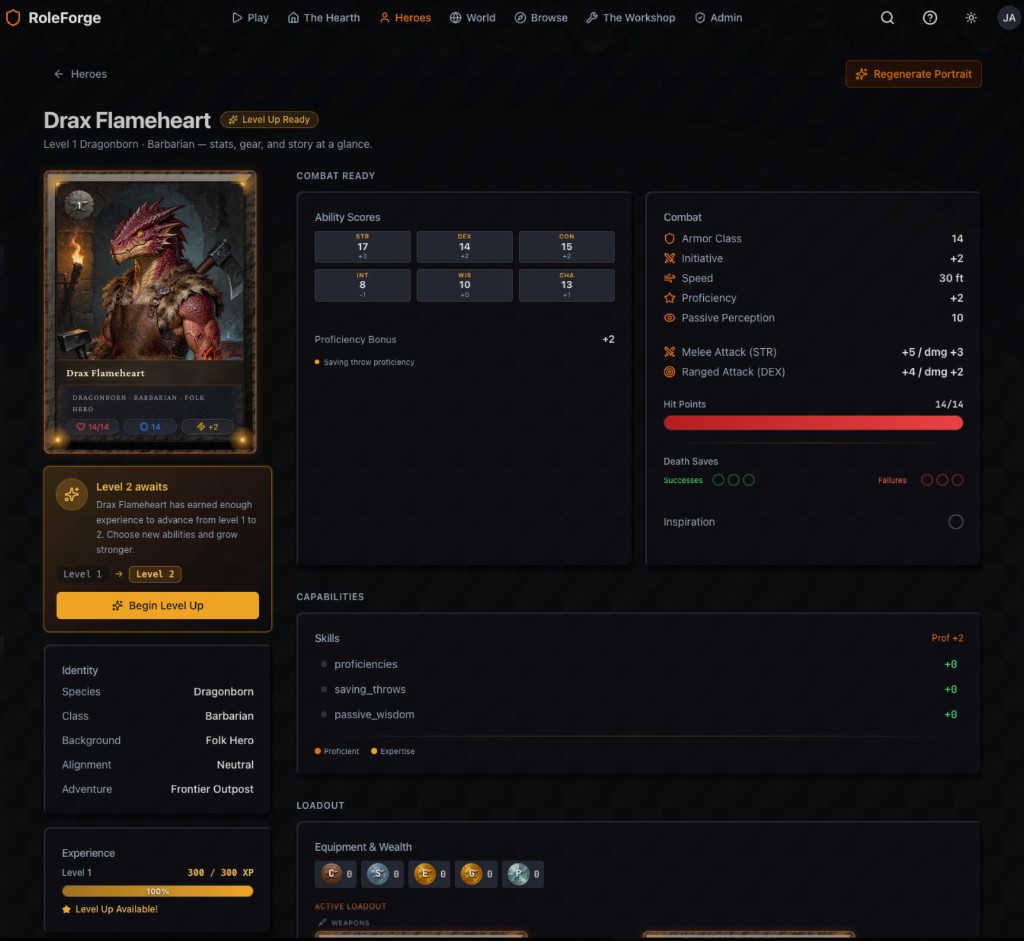
Tap it and you get a level-up summary: what's new at this level, proficiency changes, and a clear path into the level-up flow. Confirm, and your hero grows — mechanically and narratively, in sync with what happened in the adventure.
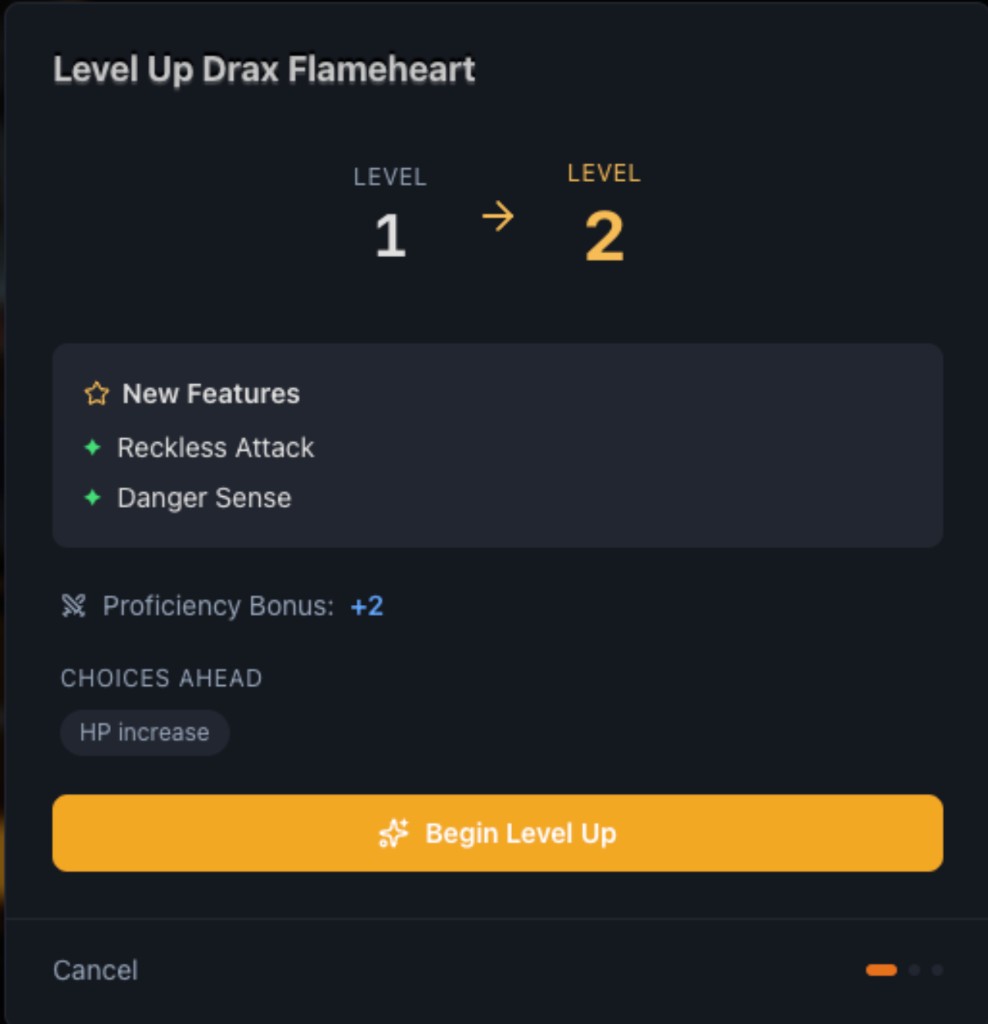
This is the kind of moment tabletop players know: the pride of leveling up, the scan of new options, the exciting decisions determining what to pick. We're building for that feeling, not a file you update manually after the session ends.
Tactical Maps — Outdoor Fights and Indoor Dungeons
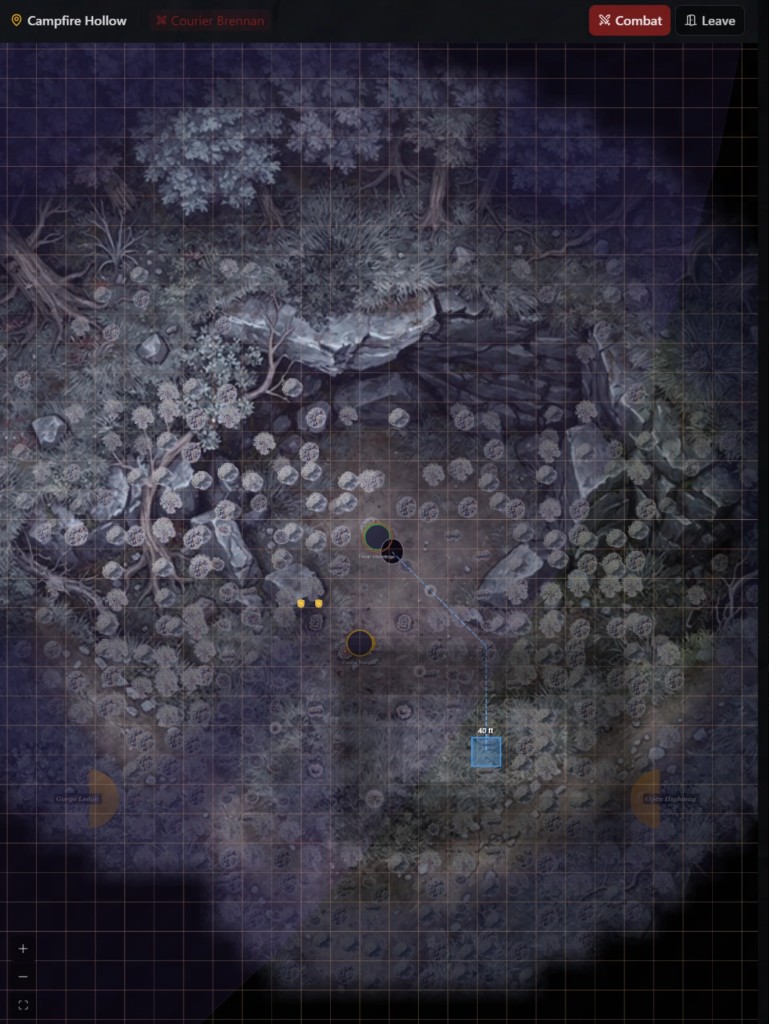
Exploration and combat share the same map — and both respect line of sight and fog of war.
Campfire Hollow is an example of outdoor tactical space: grid movement, combat mode, and pathing that shows where your hero can actually reach this turn. You see the terrain, the enemies, and the decisions — not a text description pretending a battle is happening somewhere else.
Step inside a dungeon and the mood shifts. Corridors stay hidden until your hero discovers them. Tokens mark who's where. Torchlight and fog make every room feel earned — you reveal the space as you explore it, not all at once from a bird's-eye view.
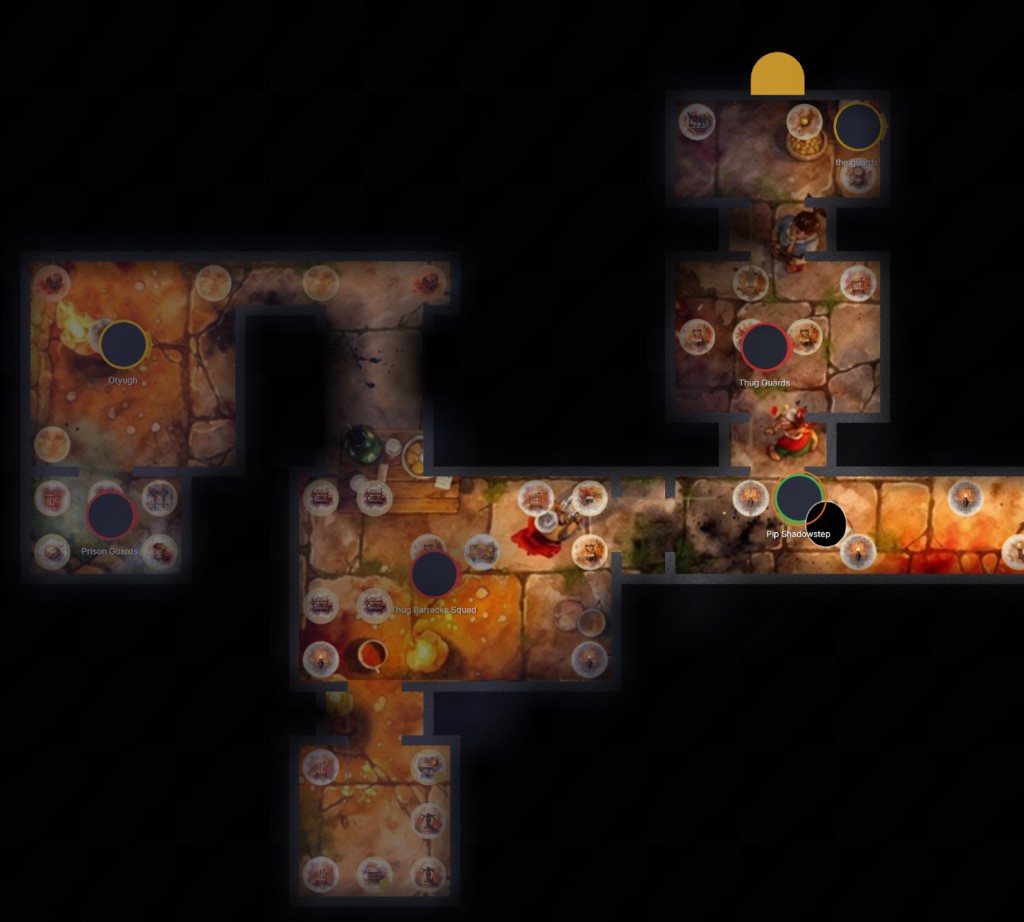
Site transitions work too — move from an outdoor camp into an interior space and the map, the fog, and the encounter state carry forward. The world has geography, not just rooms in a chat log.
Travel the Overworld Between Adventure Sites
Adventures don't happen in isolation. Hex-based world maps connect them.
Open the travel panel and you see the route: distance, estimated travel time, terrain along the way, and encounter chance. Pick a destination — and your hero sets out across the map. Explored territory stays explored. New hexes stay mysterious until you reach them.
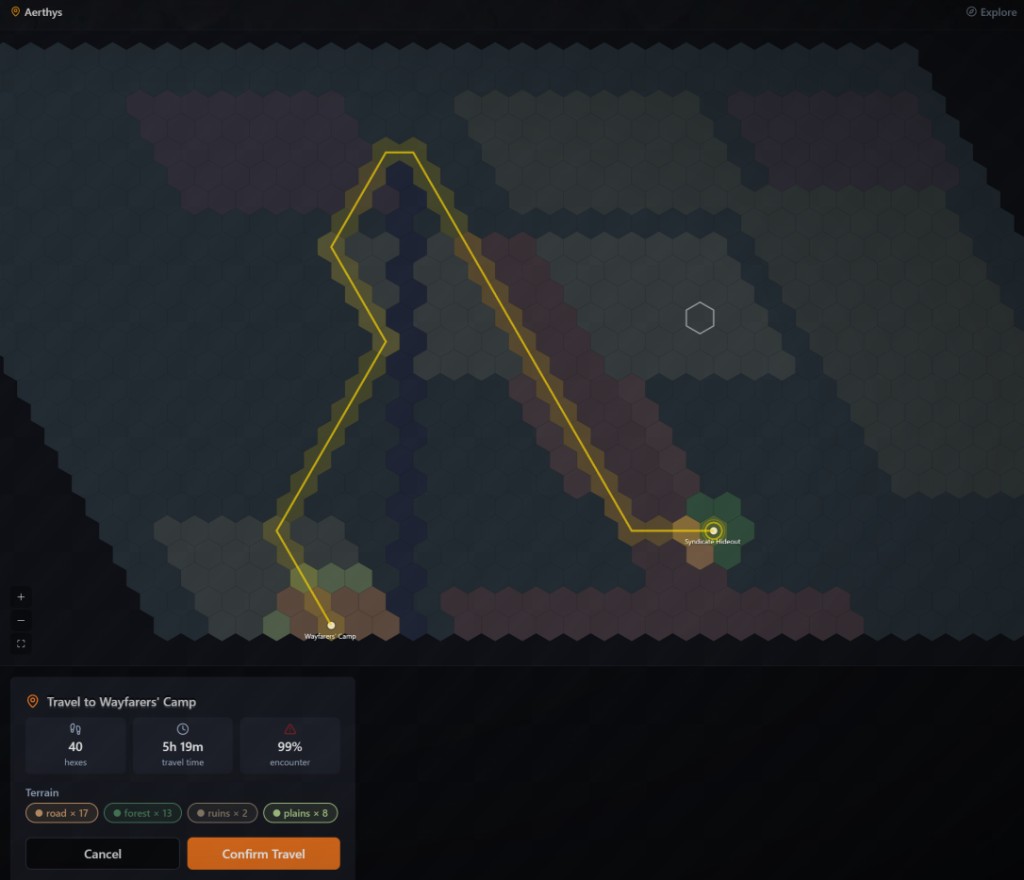
This is the layer that makes a campaign feel like a campaign — not a series of disconnected scenes, but a world you move through with consequences that accumulate along the way.
What's Next
There's more on the way that we haven't shown here yet — rest and recovery flows, scene illustrations, and continued polish on the play screen. We'll share those as they're ready.
If you want to see work-in-progress screens before they get released, join us on Discord. The founders (Eric and Jack) are in there daily to give updates and explore ideas with the community, and it's where your feedback drives game development.
If you're on the waitlist, you're in the queue for alpha access. If you're not yet, join the waitlist — and vote on the roadmap while you're at it. The features burning brightest are the ones we build next.
We've been heads-down building for a while. These screenshots are our way of saying: it's working, it's getting real, and we're closer than we've ever been. We can't wait for you to play it!